Overview & navigation
The dashboard is the restaurant-facing interface where you manage reservations, tables, opening times and settings. Access it at dashboard.timentable.fi.
Home page
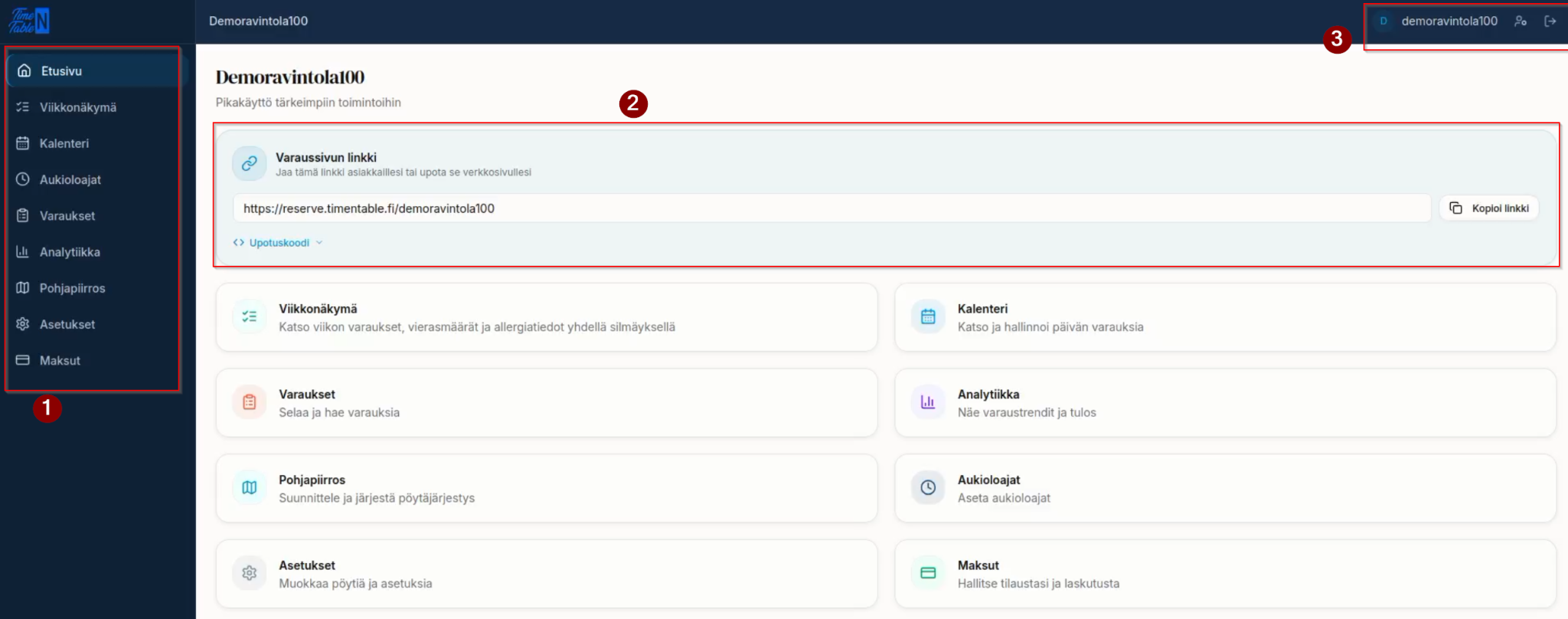
From the home page you can quickly reach the most important features.
- Navigation within the system — the left-hand menu takes you to the different views (Week view, Calendar, Opening times, Reservations, Analytics, Floor plan, Settings and Billing).
- Booking page link — the link your customers use to book a table.
- The embed code can be placed on the restaurant's own website, so bookings can be made directly there.
- Log out — sign out of the system from the top-right corner.
What next?
- Start by configuring your settings (basic information, timings and appearance).
- Add tables and arrange them on the floor plan.
- Set your opening times so customers can make reservations.