Floor plan & tables
In the Floor plan view you define table positions and manage your tables. The view has two tabs: Floor plan and Tables.
Floor plan
You can lay out your table positions on the floor plan.
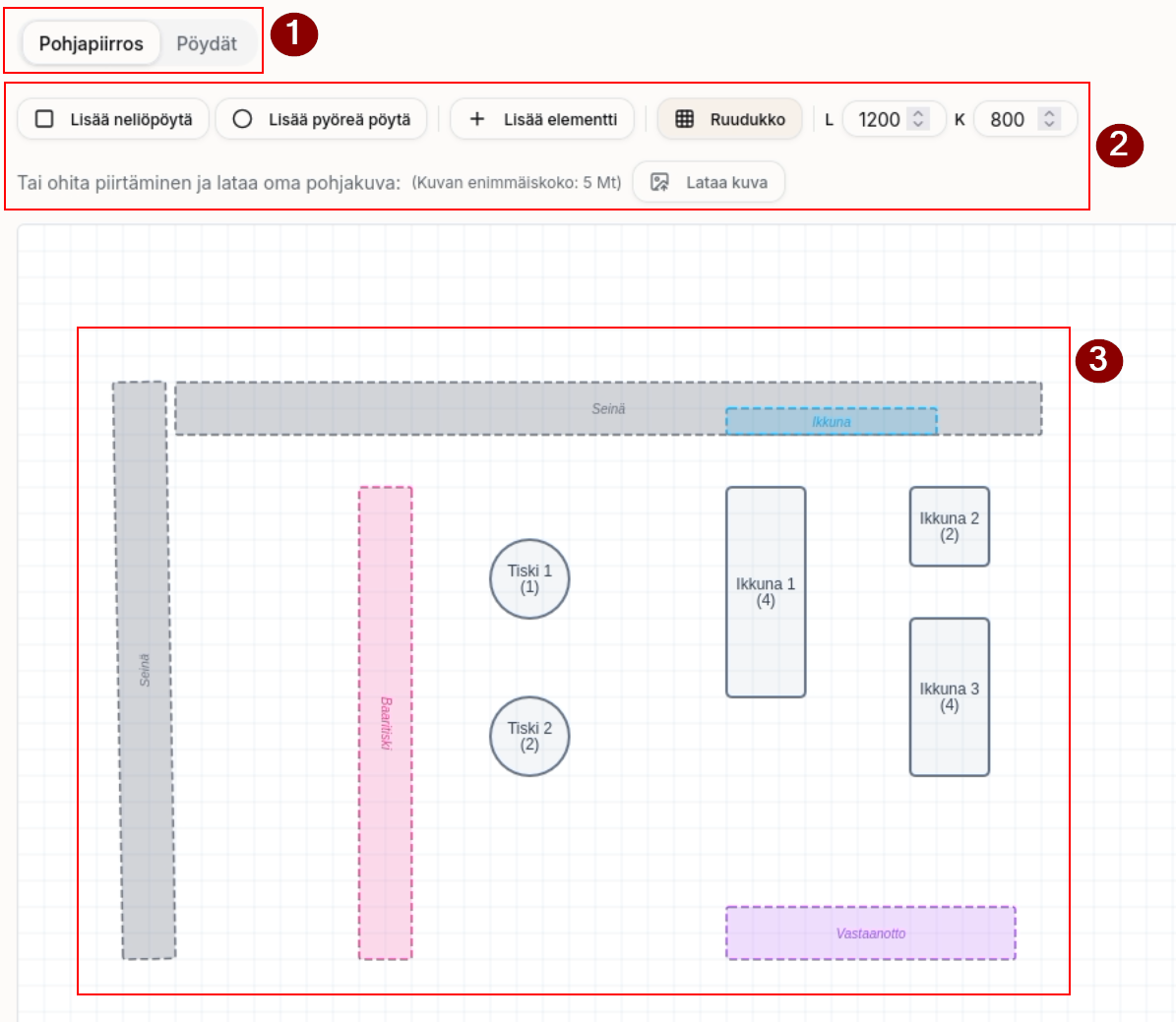
- You can switch between the table list view and the floor plan.
- You can add tables and various elements.
- Tables can be round or rectangular.
- Through elements you can add, for example, walls, windows, bar counters and so on, if you wish.
- By changing the W and H values you can grow the size of the floor plan to fit your needs.
- You can also upload an existing floor plan image as a base.
- Arrange the elements as needed.
Tables
From the Tables view you can add, name, delete and merge tables. You can also name tables and set the number of seats.
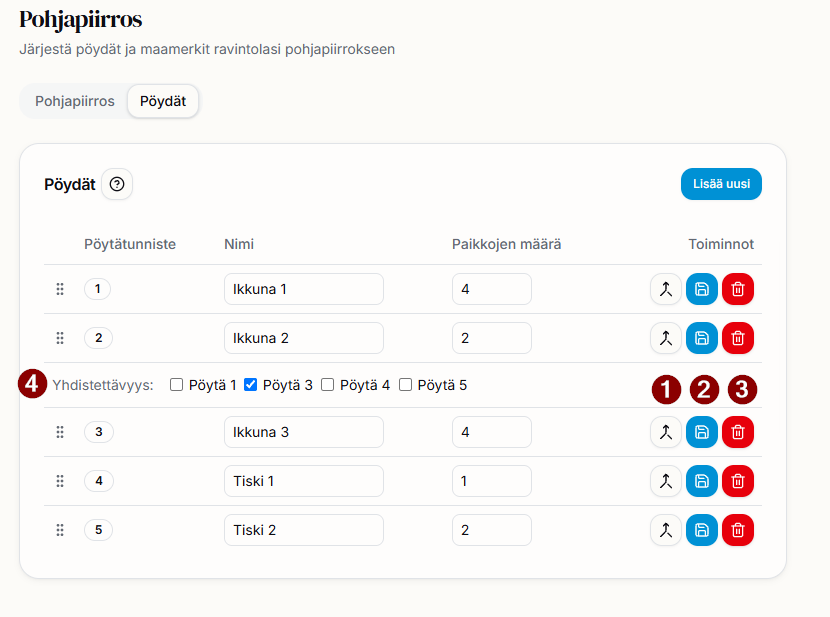
- Table merging function.
- Save table settings — you must click this after making changes so that the table changes take effect.
- Delete table.
- Mergeability — when merging tables, mark which tables can be merged with this table.
Tip
The ordering of tables affects how the table order appears in the calendar view.